CRM pipeline stages are the steps a deal goes through, from first contact to a closed sale. Set each stage to match a step your buyer takes with you. Don’t keep the CRM’s default stages, since they are designed for a general sales process and may not fit how your buyers purchase.
For example, a deal is in the proposal stage for three weeks. No one can tell whether the buyer is still thinking or has already gone. And when each rep moves deals in their own way, you cannot trust the forecast. When your stages follow the buyer’s steps, every deal has a clear next action. This guide explains what pipeline stages are, how to build each one around the way your team sells, and how to use your CRM to keep deals moving.
Key Takeaways
- Build your CRM pipeline stages around what the buyer does.
- Make clear rules to enter and exit every stage.
- Use fewer stages when your sales cycle is short.
- Avoid stale deals, dead leads, and tracking rep activity.
What are CRM Pipeline Stages?
A B2B sales pipeline is a visual system that shows where each prospect sits in your buying process. The pipeline helps you track deals from first contact to closed-won and provides you with a clear picture of revenue. With marketing automation, your CRM can track each stage and show the deals that need attention.
These stages also show how you work with potential customers through their buyer’s journey, from first interest to final purchase.
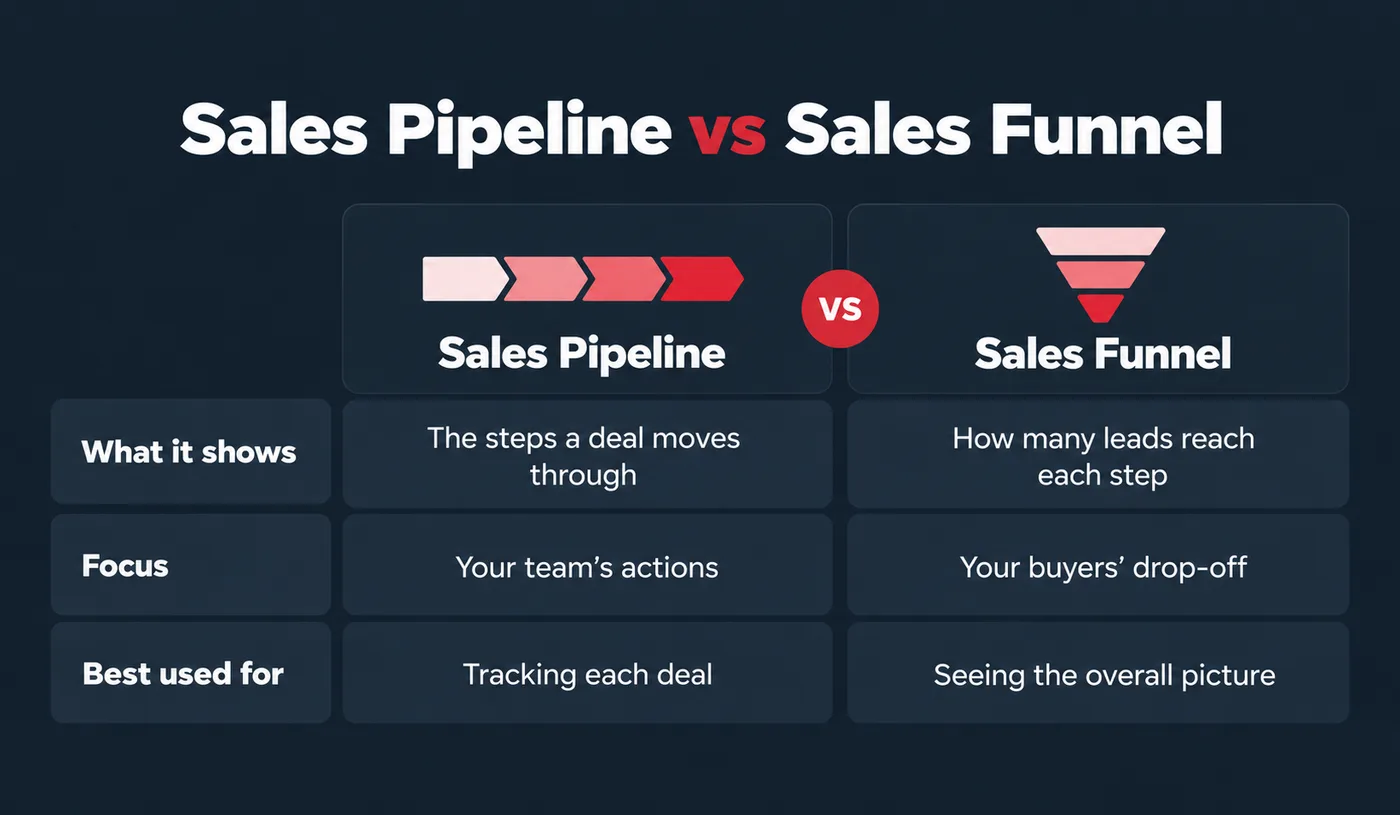
The terms sales pipeline and sales funnel are used interchangeably, but they mean different things.
Sales Pipeline vs Sales Funnel
A sales pipeline is a sequence of stages buyers move through to become customers, and it shows how long it takes to convert sales leads into closed sales. Consumers go to each stage after completing the one before.
A sales funnel visually represents the proportion of leads that pass through each stage of the pipeline. So, your sales funnel provides an overview of your sales process and the opportunities you can capture. Sales pipeline and funnel are both concepts used as tools by all sales teams to optimise their lead conversion rates.
How to Set Up CRM Pipeline Stages Around Your Buyer
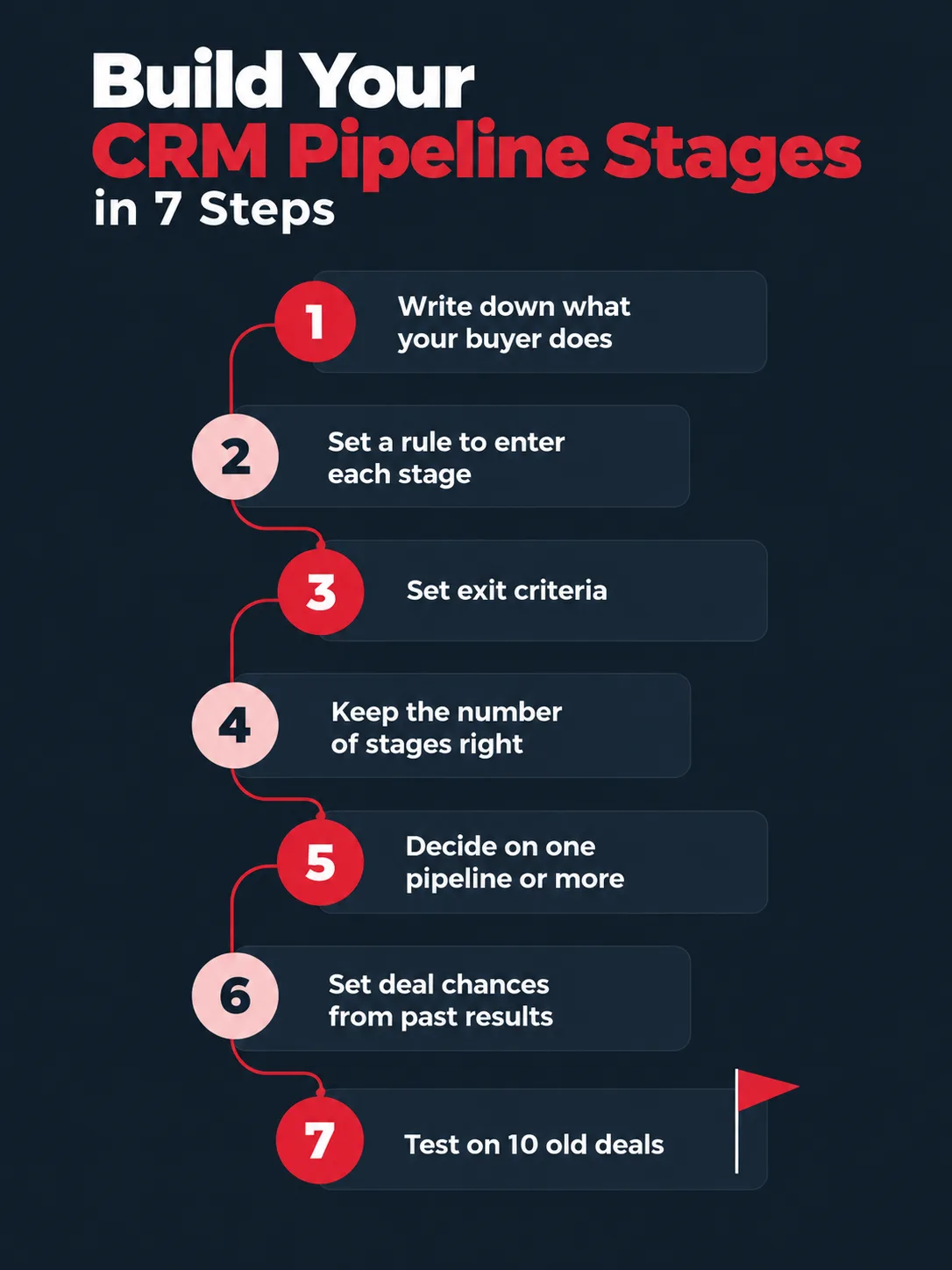
1. Write down what your buyer does at each step
The first step in building your stages is to focus on your buyer; check what the buyer has done or agreed to that made this deal possible. For example, the buyer accepts the problem needs to be solved, or the budget is set. Sending a proposal is a rep task, but it says nothing about where the buyer is.
2. Set a clear rule to enter each stage
If you ask any two reps what qualified means for them, both will give different answers. So set clear rules and use facts to move leads so anyone can check, such as a buyer-confirmed Q3 budget and a two-month decision window. Then train your sales team to use the same rules.
3. Set exit criteria
Set key requirements that must be met before a deal moves on. Enforce this in the CRM through required fields at stage change. Otherwise, a deal can sit and be marked as evolved for 45 days and still look active.
4. Keep the number of stages right
More stages don’t guarantee accuracy; they can even create more confusion. A good rule of thumb: use four to five for short deals, six to eight for mid-market, and eight to ten for enterprise. If you are not sure, start with fewer, because merging stages later loses your history.
5. Decide if you need one pipeline or more
Do SMB and enterprise buyers follow the same steps? Then keeping one pipeline is a better decision; just add a Deal Type field for reports. If the journeys are genuinely different, say a product-led self-serve motion vs. an enterprise direct sales motion, then consider building separate pipelines.
6. Set deal chances based on your past results
You get default percentages from the tool maker’s sales team. Use 12 to 24 months of data, and divide the deals won from each stage by all deals that entered it to set stage chances based on past results.
7. Test your stages on 10 old deals
Before going live with new pipeline stages, test them. Pull 10 recent closed-won and closed-lost deals and trace each one through your new stages. Then look for two things. If every deal skips a stage, it is not a real milestone. If two stages always happen on the same day, they are really one stage.
CRM Pipeline Stages Examples: A Simple B2B Pipeline
Use these B2B sales pipeline stages as a starting point, and customise your CRM pipeline stages to fit how your buyers buy.
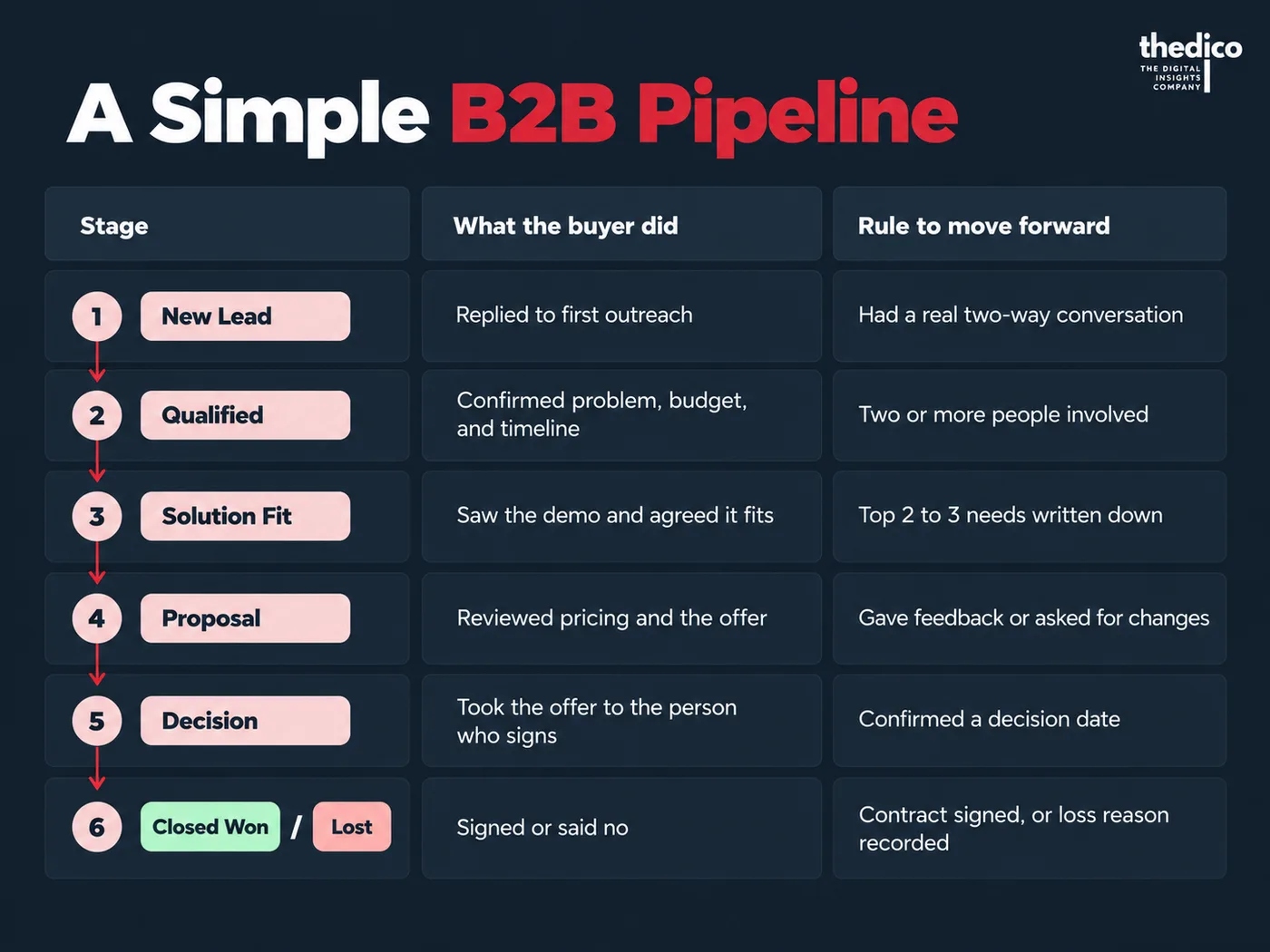
- New Lead: the buyer replied to first outreach. Move forward once you have had a real two-way conversation.
- Qualified: the buyer confirmed the problem, budget, and timeline. Move forward once two or more people are involved.
- Solution Fit: the buyer saw the demo and agreed it fits. Move forward once their top 2 to 3 needs are written down.
- Proposal: the buyer reviewed pricing and the offer. Move forward once they give feedback or ask for changes.
- Decision: the buyer took the offer to the person who signs. Move forward once they confirm a decision date.
- Closed Won / Lost: the buyer signed or said no. Close it once the contract is signed, or the loss reason is recorded.
Why This Matters Now
Ask your team one question: what does “Proposal” mean? One rep says the buyer has gone quiet. Another says the buyer is ready to sign. Both are right in their own view of the stage, and your forecast suffers because of it.
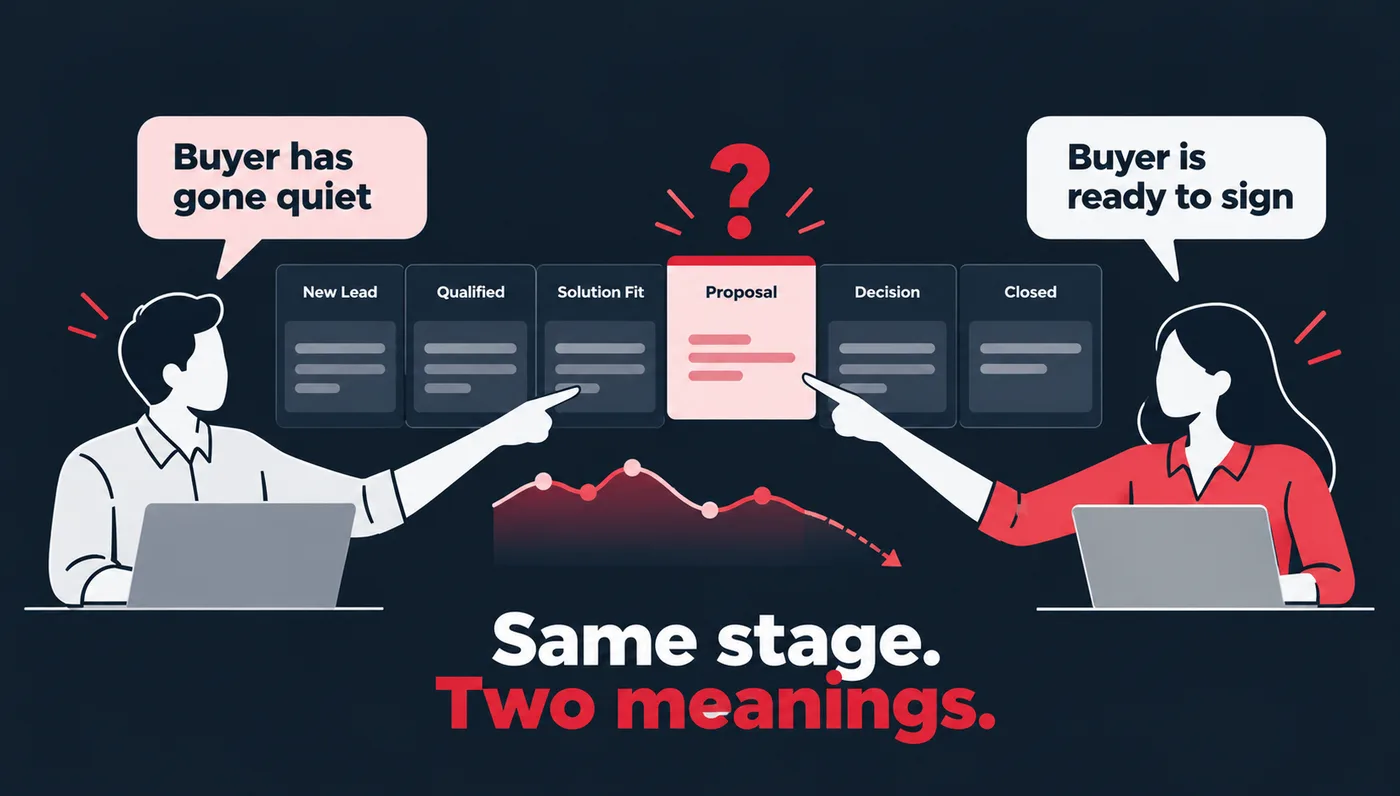
Well-designed stages can fix this and turn messy deal tracking into predictable revenue because everyone reads the pipeline the same way. When each stage follows the buyer’s steps and has a clear exit rule, you can forecast with confidence, plan your team’s time better, and spot problems before they hit your numbers.
Common Mistakes to Avoid
- Keeping unqualified leads in the pipeline makes your numbers look bigger than they are.
- Letting deals pile up in one stage hides the real problem, so set a time limit for each stage.
- Holding on to dead leads makes your forecast only look better than it is, so close them.
- Not tracking pipeline data means you are guessing, so keep your CRM fields filled in. Empty fields also make a CRM look like it isn’t working.
- Tracking the wrong metrics, like calls and emails, only shows rep activity.
Frequently Asked Questions
Why is a sales pipeline important for sales teams?
A sales pipeline helps you understand where each prospect is in the sales process and identify the next steps so you can close more deals. A sales pipeline is very important since it helps sales teams stay organised and work effectively.
What are the stages of a sales pipeline in a CRM?
For B2B teams, the sales pipeline stages in a CRM include new lead, qualified, solution fit, proposal, decision, and closed won. The names can change, but each stage needs to align with the steps the buyer takes with you.
What’s the biggest pipeline management mistake?
A major mistake is letting inactive opportunities sit in active pipeline stages without next actions. These deals blur pipeline visibility and make forecasting less reliable.
How many pipeline stages should a B2B CRM have?
There are no fixed numbers; four to five stages work for short deals, six to eight suit mid-market, and eight to ten suit enterprise deals. While the number of pipeline stages depends on your sales cycle, it’s better to start with fewer stages. If you are setting up a CRM pipeline for a B2B business in India with a short sales cycle, four to five stages are enough.
Why do deals get stuck in one stage, and how often should I review?
A deal usually gets stuck when the next step isn’t clear, the buyer goes quiet, and no one notices. Clear exit rules at each stage, plus a time limit per stage, can help you spot these deals early. In founder-led teams, the next step often lives only in the founder’s head, which is how founder-led marketing becomes a bottleneck. You should review your stage rules every quarter. Plus, check them again when your product, buyer, or sales process changes.
Filed under
- CRM pipeline
- Sales pipeline
- Sales process