CRM data cleansing refers to the process of identifying and correcting duplicate, inaccurate, outdated, and incomplete data in a customer relationship management (CRM) system. It also improves the quality and reliability of CRM records and creates a 360-degree view of every customer, so teams can use it for sales, reporting, automation, and customer management.
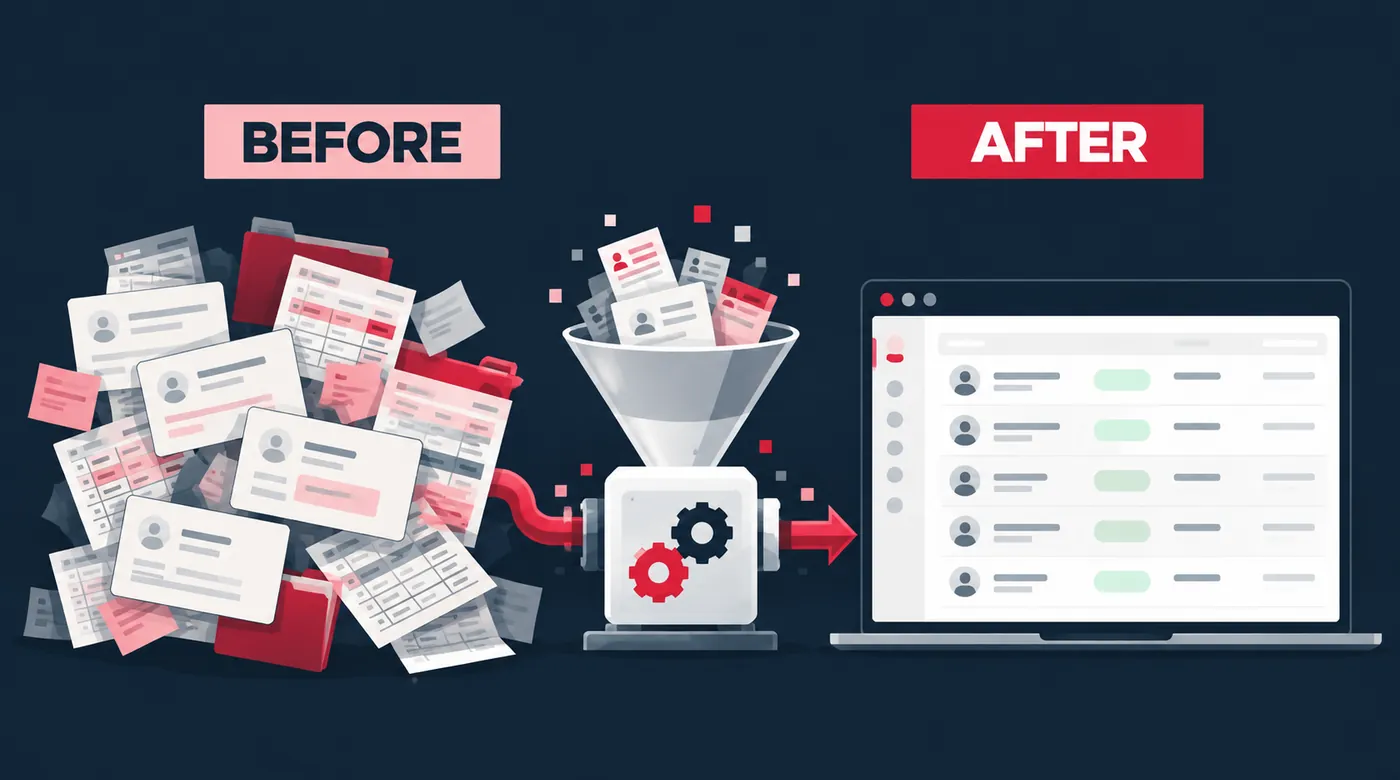
Open your CRM and look: how many contacts have left their jobs? How many companies are listed twice? How many leads have no owner or no phone number? Cleansing helps you find and fix duplicate, wrong, old, and missing records.
But the real problem is that data does not stay clean on its own. The State of CRM Data Management survey found that CRM data decays by about 34% every year. With automation on, one wrong record can send the wrong email and feed the wrong number into your report. So when does bad data become a trust issue? When your team stops opening the CRM and goes back to Excel.
Key Takeaways
- Learn the 7 kinds of bad CRM data that you need to clean first.
- Teams stop using the CRM when they cannot trust what is in it.
- CRM data cleansing keeps your reports accurate and reliable.
- You can maintain data hygiene by improving your CRM data entry process.
Why Does CRM Data Quality Matter?
A CRM works effectively when the data is correct. When records aren’t accurate and consistent, you get unreliable reports, inaccurate sales forecasts, broken automations, and duplicate outreach.
Sales teams work on the wrong data and miss the right opportunities. Over time, this gap creates confusion across different departments. And no matter how well-built your CRM is, it becomes hard to manage when the data inside it isn’t reliable.
Some leads never reach the CRM at all. They sit in personal WhatsApp chats with no record and no owner. See how WhatsApp CRM integration works, so these leads are tracked too.
What Are the 7 Things to Clean in Your CRM Data?
- Mixed formats: Sometimes, data is entered in different patterns. For example, a company may be entered as “ABC Pvt Ltd” and later as “ABC Private Limited”; both are the same company. Always choose one format for names, phones, and dates first so you can spot duplicates easily.
- Duplicate records in CRM: Duplicate records are common in CRM; sometimes one customer is recorded twice and gets two owners. Unmanaged CRMs generally hold 10 to 30% duplicates. Clean your CRM by merging them and keeping the history.
- Missing key fields: Every lead should have some essential records like email, phone, and job title. First, decide the must-have fields for upcoming leads, then add the required fields to recorded leads to fill the gaps.
- Old and wrong contacts: People change organisations and emails start bouncing. Keep an eye on these contacts, update them, or remove the ones with no activity.
- Dead deals and old leads: If your CRM is full of dead and old leads, they make your pipeline look bigger than it is. Start clearing such stuck deals; either close or archive them.
- Unclear sources and statuses: Every lead should have a clear source. If you have “Website” and “Web” both as sources, you cannot track which channel works. The right strategy here is to keep a short, fixed list. Your pipeline stages need the same care. See how to match your CRM pipeline stages to the way your team sells.
- Records with no owner or next step: When your CRM gets a new lead, it should immediately have an owner; no owner means no follow-up. After an owner, a dated next step is also an essential field for a lead.
7 Bad CRM Data Examples and the Quick Fix for Each
| Bad record | Problem | Fix |
|---|---|---|
| “ABC Pvt Ltd” and “ABC Private Limited” | Duplicates are hard to spot | Use one format |
| One customer saved twice | Two owners call the same person | Merge, keep history |
| No email, phone, or job title | Team cannot reach the lead | Set must-have fields |
| An email that keeps bouncing | Contact may have left | Update or remove |
| A deal stuck for months | Pipeline looks bigger than it is | Close or archive |
| “Website” and “Web” as sources | Cannot tell which channel works | Use a fixed list |
| No owner or next step | Nobody follows up | Assign owner and date |
What Are the Signs Your CRM Data Needs Cleaning?
- Your emails are bouncing or you are reaching the wrong numbers.
- You are missing the sales target because the deal data is wrong.
- Your campaigns get low open and click rates because you are blindly reaching out to the wrong contacts.
- Your sales and marketing teams often avoid the CRM. They cannot find what they need in it.
- Generating reports takes a long time, and bad CRM data makes it hard to get clear insights.
Result: 2 or more true means clean now. 0 or 1 true means a monthly check is enough.
Also check how long a new lead waits for a first reply. A slow reply often means nobody owns the lead. Use this first-10-minutes plan to fix it.
How to Clean CRM Data and Keep It Accurate
Imagine a sales representative at your organisation opens the CRM to call a hot lead. But the contact number is wrong, or the contact left that company last month. Who is responsible for keeping an eye on it? In most teams, nobody is.
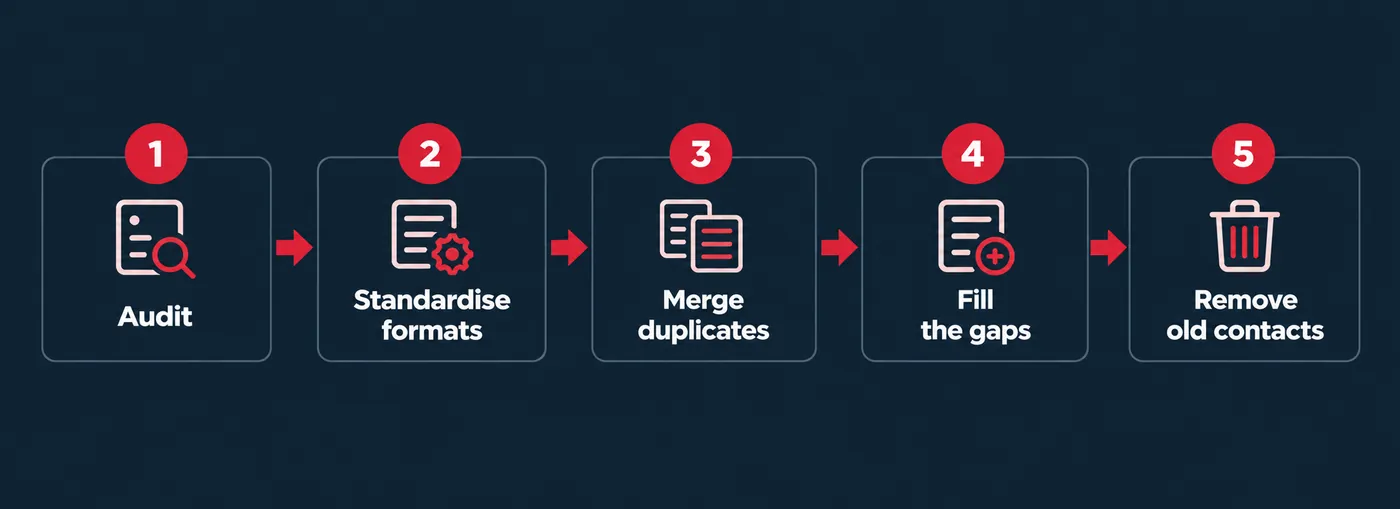
Start with a CRM audit: check for duplicates, missing details, and old contacts, and note how big each issue is. Want an expert to look at it with you? Start with our Growth Audit & Strategy. Now, start fixing them in order. Standardise formats first, then merge the duplicates, fill the gaps with verified details, and remove contacts that no longer work. Every fix is small, but together they give you a record you can call.
6 CRM Data Hygiene Habits to Keep Records Accurate
Cleaning once is not enough; your data can go bad again if you do not build these habits:
- Make simple rules for formats, required fields, and who owns which data.
- Use picklists and required fields so records start clean.
- Cross-check emails and phone numbers when they are entered.
- Audit your CRM every month or quarter.
- Name one owner for data quality.
- Decide who fixes errors, and how fast.
CRM data cleansing isn’t a one-time project you finish and forget. Make it a monthly routine with a clear owner, and your CRM data will stay accurate. Companies that treat it like a yearly cleanup spend more time fixing data than using it. Tools can do part of this work for you. Our Marketing Automation & AI service finds the leaks in your CRM and automates the fix.
Frequently Asked Questions
Filed under
- CRM data cleansing
- CRM data quality
- CRM data hygiene